The monthly close your accountant is waiting for
Instead of timesheets, sick notes and address changes by email: Floowa compiles everything payroll-relevant for a month, you close it, and your accountant gets a clean payroll report.
Try free for 30 days with up to 10 employees – then from €19.00 per month. No credit card, ends automatically.
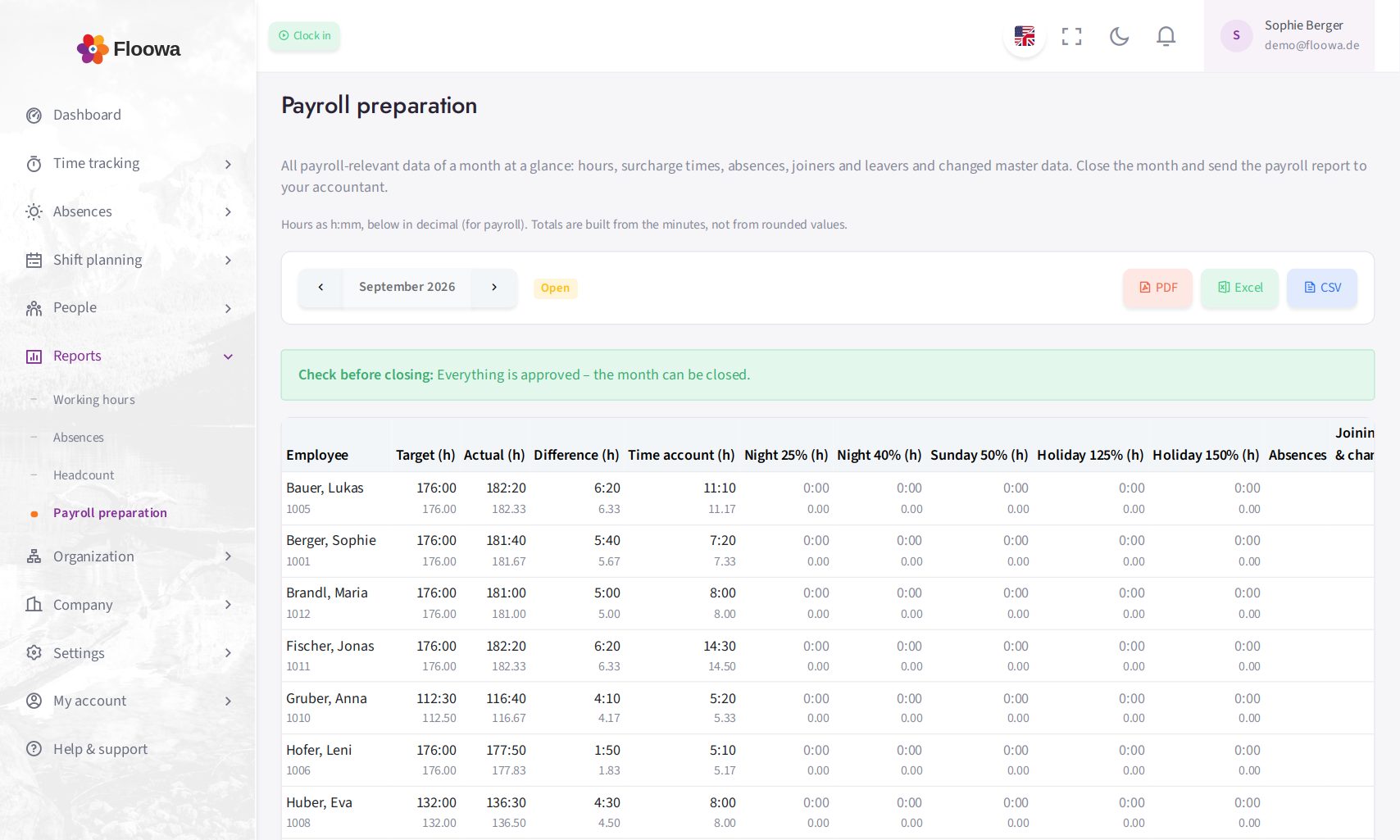
The month in payroll preparation with hours and surcharge times
What payroll preparation includes
Hours and time account
Target, actual, overtime and undertime and the time account balance per employee and month.
Surcharge times
Night work (8 pm–6 am, midnight–4 am separately), Sunday and public-holiday work of the respective region, plus 24 and 31 December from 2 pm – shown separately by the surcharge rates of § 3b EStG.
Absences with dates
Sickness, vacation and all other types with exact dates and working days in the month.
Joiners, leavers, changes
New and departing employees plus changed master data such as weekly hours, address or bank details, with the current value.
Close with a lock
After closing, the month's times and absences can no longer be changed – the payroll report and the data always match.
PDF, Excel, CSV and DATEV LODAS
The payroll report as a clear PDF for your accountant, as Excel file, as CSV for further processing and as an import file for DATEV LODAS.
How the monthly close works
-
Check
Floowa shows what is still open: unapproved times, running clocks, pending leave requests.
-
Close
One click locks the month. If something still needs correcting, authorised people reopen it – logged.
-
Hand over
Download the payroll report or make it available to your accountant. Finished payslips go back to the employees via Floowa.
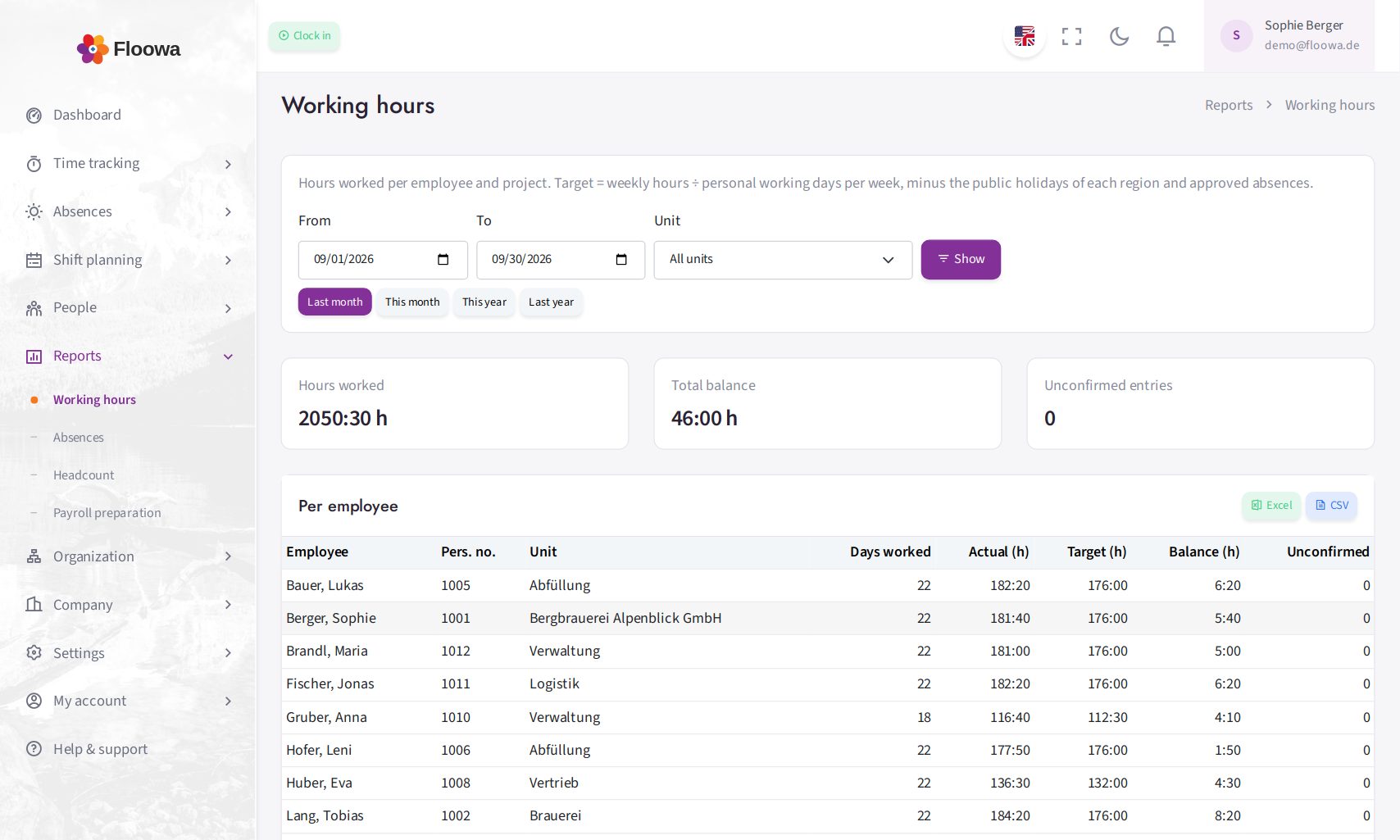
Working time report per employee and project