Shift plans that work – before you publish them
Plan the week in a few clicks. Floowa warns you about leave, missing qualifications or too short rest periods, and your team sees the plan as soon as you publish it.
Try free for 30 days with up to 10 employees – then from €19.00 per month. No credit card, ends automatically.
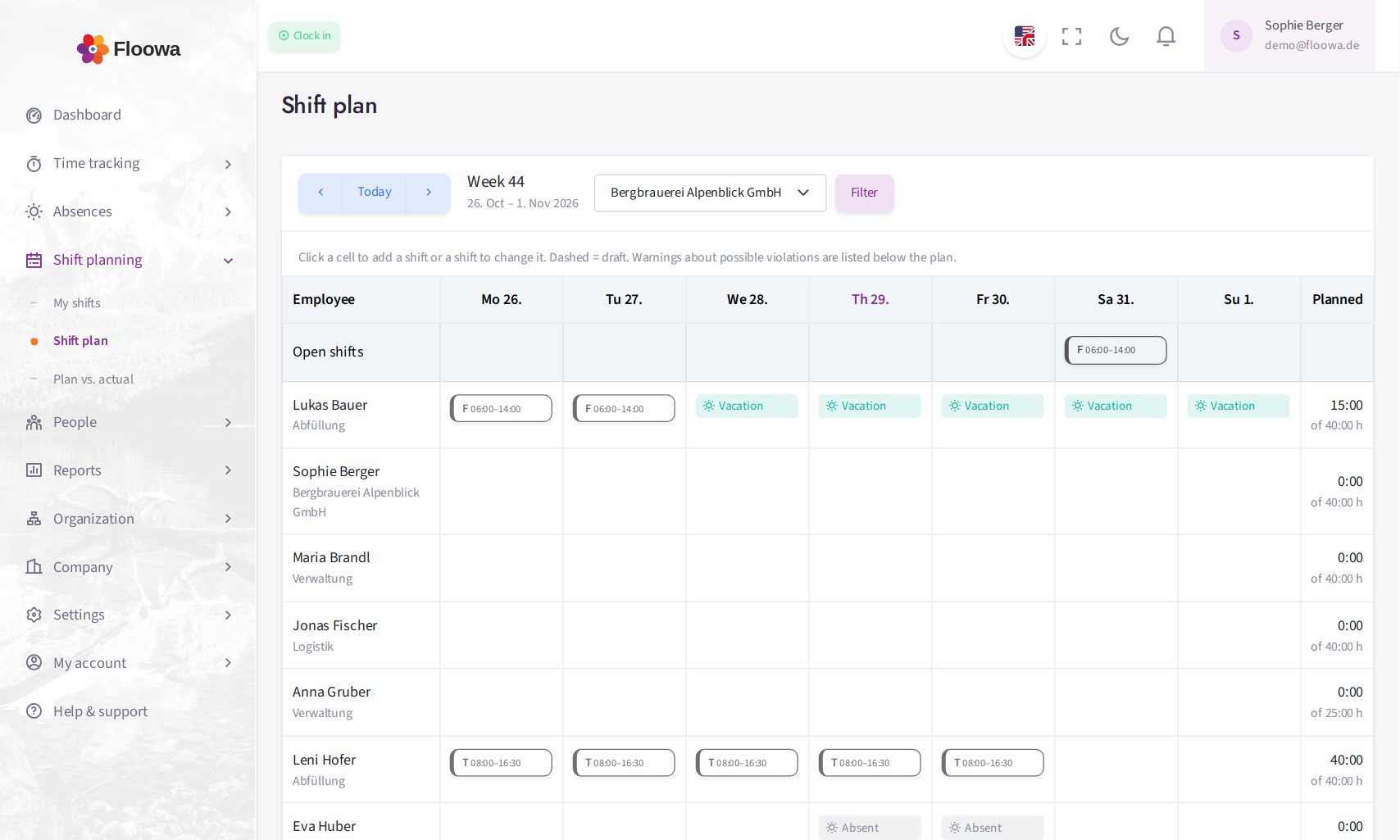
The weekly plan with early, late and day shifts
What shift planning can do
Templates instead of typing
Set up early, late or day shifts once – with times, break, code, colour and the qualifications required.
Checks inside the plan
Leave and sickness, missing qualifications, maximum working time, rest periods, Sundays and public holidays, protection of young workers and contract hours – the notes appear right below the plan.
Draft and publish
Plan calmly as a draft. Employees only see the plan and get a message once you publish it; later changes are announced automatically.
Works council involved
If you wish, every plan goes to the works council or staff council for approval before it is published (§ 87 BetrVG) – approved or rejected with a comment.
Planned vs. actual
The planned shift appears next to the clocked times. The planned/actual report shows deviations per employee, and the shift can count as target time.
Visible to the whole team
Employees see their shifts under “My shifts” – on the PC and on their smartphone – and as a calendar subscription in Outlook or Google Calendar.
How a shift plan comes together
-
Plan
Choose the department and week, drop templates into the cells or copy the previous week.
-
Check
Floowa shows conflicts with leave, qualifications and working time law before anyone is affected.
-
Publish
One click – the team is notified and sees its shifts everywhere.
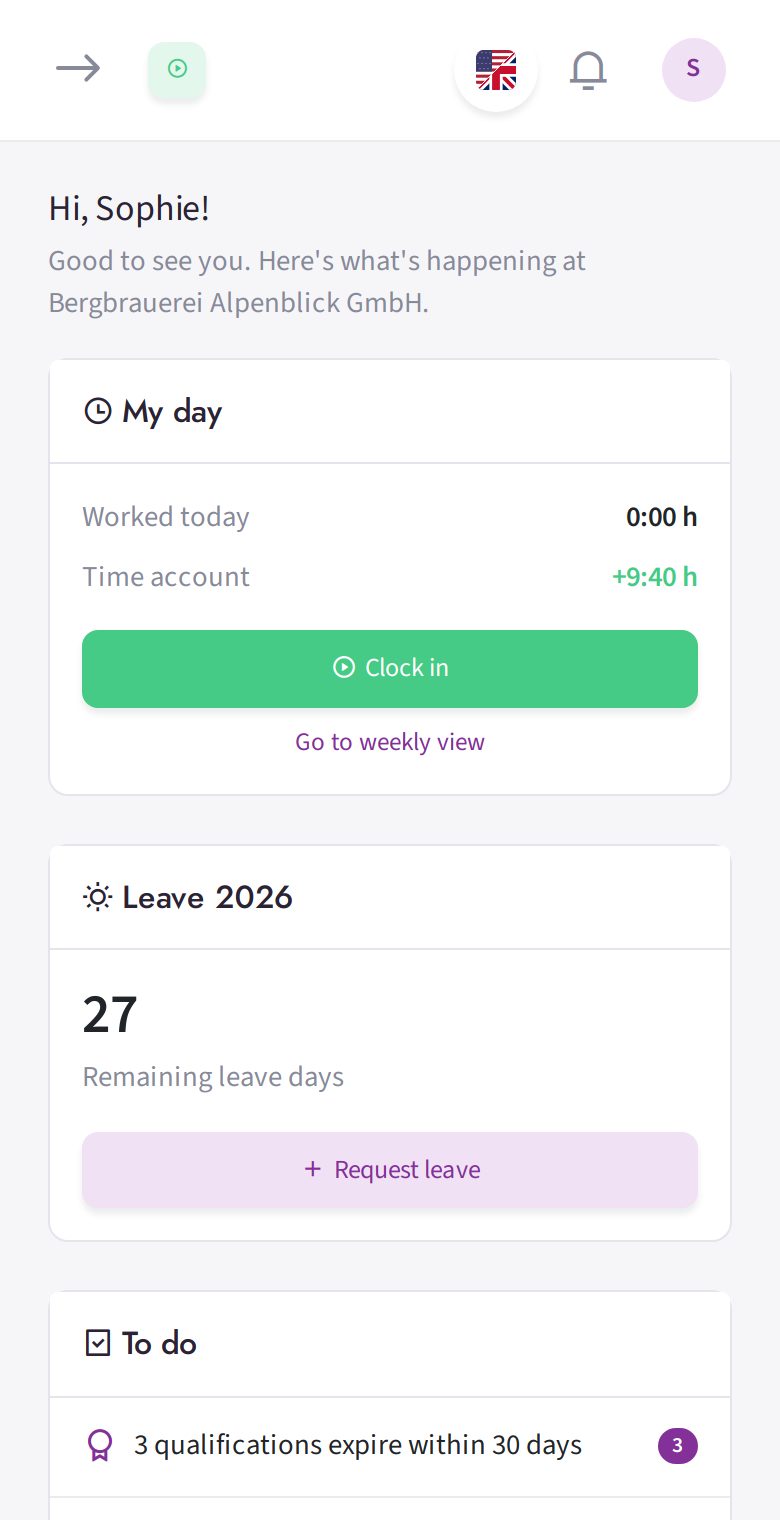
Clock in and out, request leave: also as an app on your home screen.